
Your Honeywell thermostat is set to 72 degrees but the house is stuck at 67. Sound familiar? A Honeywell thermostat not reaching set temperature is one of the most common HVAC complaints, especially when the weather gets extreme. The good news is that most of the time, the fix is something you can handle yourself without calling a technician.
Let us walk through the most common reasons this happens and how to fix each one.
Before you blame the thermostat or your furnace, double-check the basics. Make sure the thermostat is set to Heat mode (not Cool or Off) if you are trying to warm the house. It sounds obvious, but someone in your household may have changed it, or a power outage might have reset the settings.
Also verify that the fan setting is on Auto, not On. When the fan is set to On, it blows air continuously even when the furnace is not actively heating, which pushes cool air through the vents and makes it feel like the system is not working.
A clogged air filter is the single most common reason your Honeywell thermostat cannot reach the set temperature. When the filter is dirty, airflow is restricted. Your furnace or AC has to work harder and longer, but it still cannot push enough conditioned air into your rooms.
Pull out your air filter and hold it up to a light. If you cannot see light through it, replace it immediately. You should be changing your filter every 1 to 3 months depending on how many people and pets live in your home. This one fix alone resolves the problem for about 40 percent of people.
Where your Honeywell thermostat is mounted on the wall has a big impact on how accurately it reads the room temperature. If the thermostat is near a window, in direct sunlight, above a heat vent, or near the kitchen, it will read a temperature that does not match the rest of your house.
For example, if sunlight hits the thermostat and warms it to 73 degrees, it will stop calling for heat even though the rest of the house is only at 66. You can test this by placing a separate thermometer in the center of your main living area and comparing it to the thermostat reading. If there is more than a 2-degree difference, the thermostat placement is likely the issue.
Over time, the temperature sensor inside your Honeywell thermostat can drift and give inaccurate readings. Many Honeywell models let you calibrate the sensor from the settings menu.
On programmable models like the Honeywell T6 Pro, go to Installer Setup (usually by pressing and holding the menu button for 5 seconds), find the temperature offset setting, and adjust it up or down to match an accurate thermometer placed next to the thermostat. On older round Honeywell thermostats, there is a small calibration screw behind the cover that you can turn with a tiny screwdriver.
Sometimes the problem is not the thermostat at all — it is your heating or cooling system struggling to keep up. This is especially common during extreme weather. If it is negative 10 outside, your furnace may simply not have the capacity to heat your house to 72 degrees.
Most residential HVAC systems are designed to maintain a 20-degree temperature difference from the outside. So if it is 15 degrees outside, getting the house above 65 may be the realistic maximum. Check your system specifications or ask your HVAC technician about your furnace BTU rating relative to your home size.
Even if your furnace is blasting hot air, you will not feel it if your ducts have leaks. Studies show that typical homes lose 20 to 30 percent of conditioned air through leaky ductwork. That is like paying to heat your attic, basement, and crawl spaces instead of your living room.
Check accessible ductwork in your basement or attic for obvious gaps, disconnected joints, or damaged sections. You can seal small leaks with mastic sealant or metal-backed tape (not regular duct tape, which actually fails quickly on ducts). For a thorough check, hire an HVAC company to do a duct pressure test.
Loose or corroded wires between your Honeywell thermostat and the furnace can cause intermittent communication failures. The thermostat sends the signal to heat, but the furnace does not receive it consistently.
Turn off power to your HVAC system at the breaker. Remove the thermostat cover and check that all wires are securely connected to their terminals. Look for any green corrosion on the wire ends. If you see corroded wires, strip back a small section to expose fresh copper and reconnect. Make sure the R (power), W (heat), Y (cooling), G (fan), and C (common) wires match their labeled terminals.
Like any electronic device, Honeywell thermostats can develop software glitches that affect performance. A factory reset often fixes unexplained behavior.
For Honeywell T-series programmable thermostats, go to Menu, then Preferences, then Restore Factory Defaults. For round thermostats, remove the thermostat from the wall plate, take out the batteries, wait 30 seconds, put the batteries back in, and reattach it. You will need to reprogram your schedule after a reset, but it clears any corrupted settings that may have been preventing the system from reaching the set temperature.
If you have tried all the fixes above and your Honeywell thermostat still cannot reach the set temperature, the problem is likely with the HVAC system itself — a failing blower motor, a cracked heat exchanger, low refrigerant levels, or a malfunctioning control board. These require a licensed HVAC technician to diagnose and repair safely.
Q1. Why does my Honeywell thermostat show the right temperature but the house still feels cold?
Ans: This usually happens because of uneven heating in your home. The thermostat reads the temperature at its exact location on the wall, which might be near a heat source or in a sheltered spot. The rest of the house could be several degrees cooler. Try using a portable thermometer in different rooms to compare. If there is a big difference, consider adding a fan to circulate air better or ask your HVAC tech about zoning your ductwork so each area gets the right amount of heated air independently.
Q2. How often should I replace my air filter to prevent thermostat temperature issues?
Ans: For most homes, replacing the air filter every 60 to 90 days is recommended. If you have pets, allergies, or a dusty environment, change it every 30 to 45 days. A clean filter ensures proper airflow which directly affects your HVAC system ability to reach and maintain the temperature you set on the thermostat. Set a recurring reminder on your phone so you never forget. A pack of standard filters costs around 15 to 20 dollars and can save you hundreds in HVAC repair bills down the line.
Q3. Can a weak thermostat battery cause it to not reach the set temperature?
Ans: Yes, weak batteries can definitely cause thermostat problems including failing to reach the set temperature. When the battery voltage drops too low, the thermostat may not send a strong enough signal to your furnace or AC to keep running. On most Honeywell models a low battery icon appears on the display about 2 months before they die completely. Replace with fresh AA or AAA batteries depending on your model. If your thermostat is hardwired with a C wire, the battery serves as a backup and low battery should not affect normal operation.
 Published by: Admin Brand: Honeywell Thermostat Last Update: 6 hours ago Reading Time: 5 min
 Related Blogs
Why is Honeywell Thermostat WiFi Not Working?
Jul 1, 2025
How to Unlock the Honeywell T4 Pro Thermostat?
Jul 23, 2025
How to Unlock the Honeywell T6 Pro Thermostat?
Jul 25, 2025
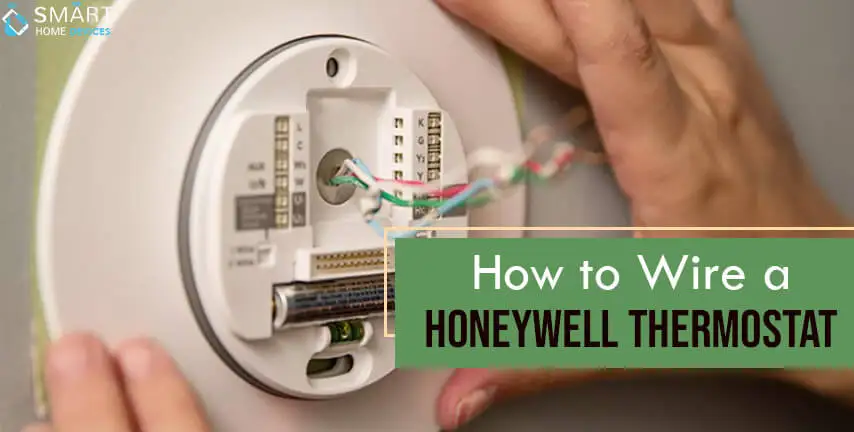
How to Wire a Honeywell Thermostat?
Jul 28, 2025
How to Reset a Honeywell Programmable Thermostat?
Jul 28, 2025
How to Connect Honeywell Two Wire Thermostat?
Jul 30, 2025
Why is My Thermostat in Recovery Mode?
Aug 26, 2025
© 2026 SmartDevicesHelp.com. All Rights Reserved.
Top Searches in honeywell thermostat