
Being away from home cannot be a constraint as you can view unsecured cameras live by just logging on to the Insecam or Opentopio web portal. Insecam or Opentopio portals provide a whole host of access to view unsecured cameras live that is always streaming live on the internet.
For this, you just have to log on to the Insecam or Opentopio that lists out thousands of unsecured cameras showing live camera feed directly over the internet and select the one you may be willing to receive the online feed for.
Remember it is not hacking nor does it promote hacking but there are thousands of cameras that stream live in an unsecured way, so you can simply find your preferred cameras and can continue watching the live feed.
Just follow a few simple ways enunciated by means of this user-friendly guide to continue watching the live streaming of unsecured cameras.
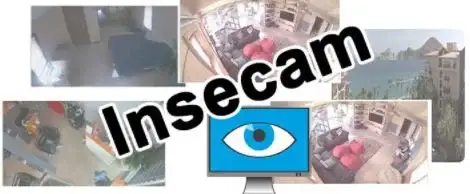
The ideal way to watch live streaming of cameras is to quickly log on to Insecam.org and navigate through to view unsecured cameras live. The cameras showing the live feed are unrestricted in their own working so as to keep providing the live feed seamlessly.
Actually why this happens is because thousands of people get the camera installed in their homes without knowing much about the fact that their camera is accessible at the hands of millions of telecommuters who are online in the quest of watching live feed freely. Also, their specific log-in IDs are not protected by a confidential Username and Password.
The alternative to Insecam.org is the Opentopio portal that also lists out thousands of cameras by clicking on one of which the users can continue receiving feed for the desired online camera. You would also wonder to know that Opentopio also allows choosing from different kinds of streaming available on the platform.
You can continue receiving feed in the form of small pictures to the animation of the last screenshots or the live feed itself. An added advantage with this website is that it also permits the users to comment on the live feed and is also updated always.

One simple way of protecting your cameras is to ensure that the user id and password have been changed and kept confidential after the cameras are installed so that the actual owner can continue receiving the live feed even from a remote location as well.
And, that one doesn’t forget to log out from the user ID to restrict the feed from watching up to you only.
Q1. Is it legal to view unsecured cameras that are publicly accessible online?
Ans: Viewing cameras that are publicly accessible without any password protection exists in a legal gray area. If a camera owner has not set a password and the camera feed is openly available on the internet, accessing it is technically not hacking since no security was bypassed. However, laws vary by country and jurisdiction. In the US, the Computer Fraud and Abuse Act could potentially apply depending on how the camera is accessed. The ethical approach is to avoid viewing private cameras like home security feeds, baby monitors, or workplace cameras without permission. If you discover an unsecured camera that belongs to someone, the responsible thing to do is notify the owner so they can secure it rather than continue watching. Always secure your own cameras with strong passwords to prevent unauthorized viewing.
Q2. How can I check if my own security camera is unsecured and visible to others online?
Ans: The easiest way to check is to search for your camera IP address on websites like Shodan which scans and indexes internet-connected devices. If your camera appears in the results without requiring a login, it means anyone can view your feed. You should also try accessing your camera from outside your home network by typing your public IP address followed by the camera port number into a browser on your phone using mobile data instead of WiFi. If the camera feed loads without asking for a password, it is exposed. To fix this immediately change the default username and password on your camera, disable UPnP on your router, close any port forwarding rules that point to your camera, and enable HTTPS if your camera supports it.
 Published by: Blaze Brand: Smart Devices Last Update: 1 week ago Reading Time: 3 min
 Related Blogs
 Jun 8, 2025
Top 11 Best Smart Home Devices & Systems of 2026
Jun 9, 2025
How to Use Google Lens on iPhone?
Jun 10, 2025
Top 7 Best Smart Home Security Systems of 2026
Jun 13, 2025
How to Connect Philips Hue Devices?
Jul 6, 2025
© 2026 SmartDevicesHelp.com. All Rights Reserved.

Top Searches in smart devices